
Useful technology for older adults does not have to be complicated. The strongest Amazon choices solve a specific daily problem—hearing the television, remembering medication, seeing a dark hallway, calling family, or controlling lights—without demanding constant troubleshooting. This roundup focuses on practical products seniors and caregivers frequently compare, with approximate price bands, setup considerations, and tradeoffs. Prices, availability, subscriptions, and ratings can change, so verify the current listing and return policy before ordering.
The best pick depends on vision, hearing, dexterity, mobility, Wi-Fi access, and whether a caregiver will help with setup. Use the list as a starting point for a safer, more connected home rather than assuming every “senior-friendly” gadget suits every person.
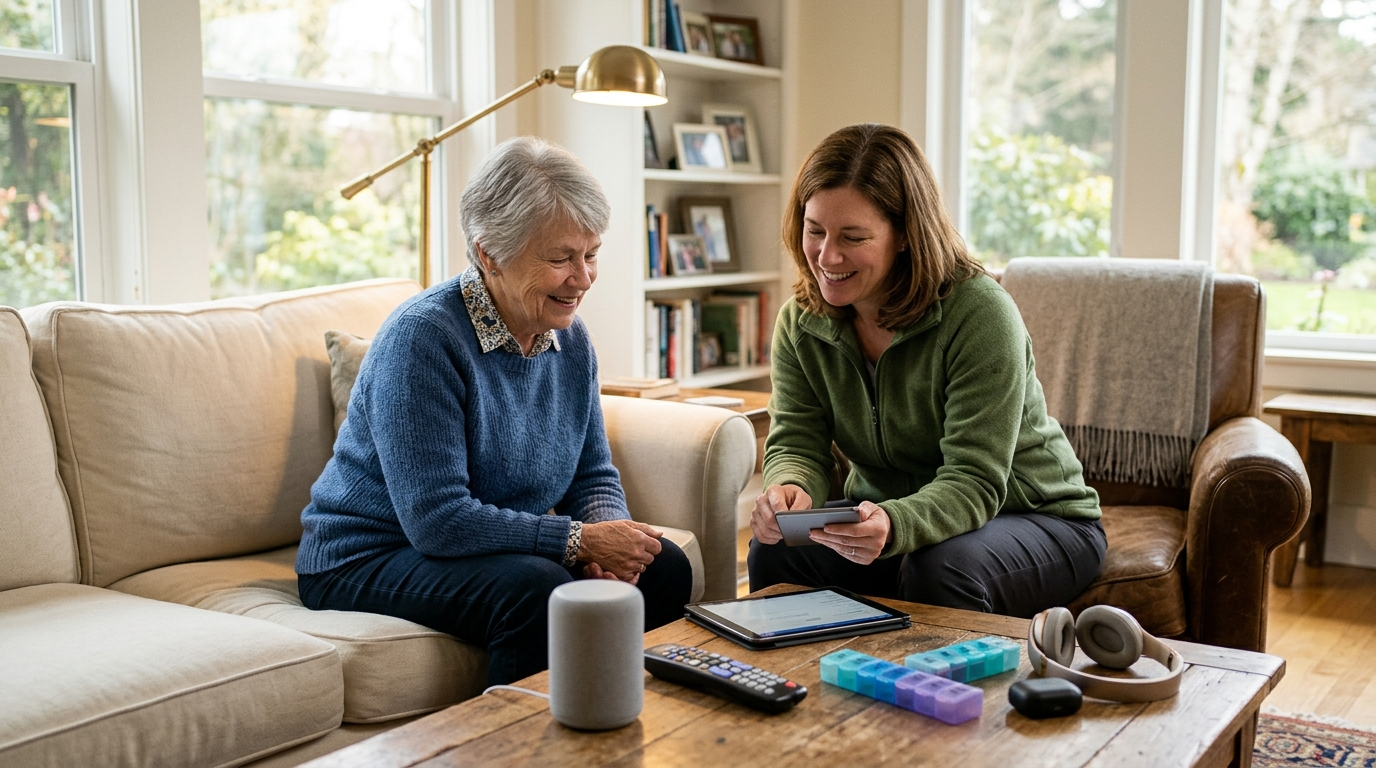
How to Compare Senior-Friendly Amazon Finds
Before focusing on star ratings, check whether the product fits the user’s actual routine. A device with dozens of features may be less useful than one with three clearly labeled buttons. Also distinguish a one-time purchase from an item that requires batteries, a paid app, cloud storage, or a monthly monitoring plan.
| Priority | What to check | Potential hidden cost |
|---|---|---|
| Ease of use | Large controls, readable display, simple charging | Replacement batteries or proprietary chargers |
| Connectivity | Wi-Fi, Bluetooth, cellular service, or no connection | Subscription or unreliable home internet |
| Safety | Alerts, return-to-home behavior, privacy settings | False alarms or caregiver monitoring fees |
| Durability | Warranty, water resistance, drop resistance | Limited coverage for accidental damage |
When buying for first senior care or daily living support, write down the problem first, then choose the simplest product that addresses it.
A Smart Speaker Can Turn Voice Commands Into Daily Help
A smart speaker can set reminders, answer simple questions, play music, make announcements, and control compatible lights without requiring a phone keyboard. It is especially helpful for someone with limited dexterity or poor near vision. The practical value comes from placement: a speaker in the kitchen, bedroom, or living area is more useful than one hidden behind furniture.
- Typical cost: about $25–$100, depending on sound quality and display.
- Useful routines include medication reminders, appointment prompts, weather checks, and calling approved contacts.
- It requires a stable Wi-Fi connection and initial account setup.
Ask who will configure voice recognition, privacy controls, emergency contacts, and purchasing restrictions. A smart speaker is a convenience aid, not a substitute for a monitored medical alert system.
A Large-Display Smart Display Makes Video Calls Easier
Smart displays combine voice assistance with a screen for video calling, calendars, recipes, photos, and visual timers. Compared with a phone, the larger display can be easier to see from across a room, while hands-free calling reduces the need to hold a device. The tradeoff is greater setup complexity and a stronger need to review privacy settings.
- Typical cost: approximately $50–$180.
- Look for a physical camera shutter, adjustable volume, readable text, and a straightforward calling app.
- Confirm that family members use the same compatible calling platform.
Set up a test call before gifting the device. If video calling is the primary goal, prioritize screen size and one-touch contacts over premium speakers or extra smart-home features.
A Medical Alert Button Provides Help Beyond the Smartphone
Medical alert systems are designed for a person who may need assistance after a fall, illness, or other urgent event. Wearable buttons may connect to a home base station, cellular network, or caregiver’s phone. Some offer fall detection, but that feature can miss events or trigger false alarms, so it should not be treated as guaranteed detection.
- One-time equipment costs often range from roughly $30–$150.
- Professional monitoring commonly adds about $20–$50 per month.
- Check indoor range, cellular coverage, water resistance, battery life, and cancellation terms.
Have the user wear and test the button during normal routines. Ask the provider exactly who answers an alert, whether emergency services are contacted, and how the system behaves during a power or internet outage.
A Digital Medication Organizer Reduces Routine Confusion
Electronic pill dispensers can organize doses, sound alarms, and sometimes notify a caregiver when a compartment is not opened. They can be valuable when multiple daily medications create confusion, but they do not replace a pharmacist’s review or confirm that a dose was swallowed. Some models lock other compartments to discourage double dosing.
- Basic timed organizers may cost $25–$60; locked or connected models can cost $80–$250 or more.
- Check whether a subscription is required for text alerts.
- Confirm compartment capacity, refill frequency, alarm volume, and battery backup.
Ask a pharmacist whether the prescriptions can safely be stored together and whether the organizer accommodates unusual schedules. Choose a model the senior can refill—or arrange a caregiver refill routine.
A Talking or High-Contrast Blood Pressure Monitor Improves Readability
Home blood pressure monitors are popular wellness-focused gadgets because they make routine readings more convenient. A talking model can read results aloud, while a large backlit display helps users with reduced vision. Accuracy depends heavily on cuff size, posture, rest time, and consistent technique—not just the device itself.
- Typical cost: approximately $30–$100.
- Choose an upper-arm cuff with the correct circumference rather than relying on a wrist model unless a clinician recommends it.
- Look for memory storage, irregular-heartbeat notices, and simple one-button operation.
Bring the monitor to a clinician’s appointment for comparison with office equipment. Do not change medication based on a single home reading; ask a healthcare professional how to record and report results.
A Talking Thermometer Helps Users Read Temperature Independently
A large-display or talking thermometer can make temperature checks less dependent on small print. Contactless forehead models are quick, while oral or other clinically appropriate designs may be preferred for consistency. Readings can vary with room temperature, positioning, sweat, and device quality, so instructions matter.
- Common prices range from about $10–$45.
- Look for a clear error indicator, memory function, and an audible readout that can be muted if desired.
- Keep the device clean according to the manufacturer’s directions.
Before relying on it, compare its operation with a healthcare professional’s recommended method. Decide in advance what temperature or symptoms should prompt a call to the doctor, urgent care, or emergency services.
A Large-Button Universal Remote Can Replace a Frustrating Handset
Many older adults struggle with remotes because common models combine tiny buttons, crowded layouts, and rarely used functions. A simplified universal remote typically provides power, volume, channel, mute, and input controls in a larger format. It may not support every television, streaming box, or sound system without programming.
- Typical cost: $12–$40.
- Favor tactile buttons, contrasting labels, backlighting, and a lockable setup mode.
- Keep the original remote stored safely in case the simplified model cannot access a needed feature.
Before buying, identify the exact television and cable or streaming equipment. Program it with the senior present, then mark only the buttons they actually need to avoid an intimidating control panel.
Wireless Headphones or a TV Listening System Can Improve Audio Comfort
TV listening headphones send sound directly to the listener, allowing the television volume to stay comfortable for others. Options include Bluetooth headphones and dedicated wireless systems with a transmitter. Bluetooth can be convenient but may introduce delay or require a television with compatible audio output.
- Budget headphones may cost $25–$70; dedicated TV systems often cost $70–$250.
- Check charging-dock design, weight, maximum volume controls, and whether outside sounds remain audible.
- Verify compatibility with the television before ordering.
If hearing difficulty affects conversations, safety, or one ear more than the other, encourage a hearing evaluation. Headphones improve listening access but are not a replacement for professionally fitted hearing care.
A Motion-Sensor Night-Light Targets a Common Fall Hazard
Motion-activated lighting can illuminate a route between the bed, bathroom, and hallway without requiring a switch in the dark. Rechargeable units reduce battery waste, while plug-in models avoid charging but depend on outlet placement. Light should guide movement without creating glare or harsh shadows.
- Typical price: $10–$45 per light or small multipack.
- Look for adjustable brightness, a wide detection angle, secure mounting, and an automatic shutoff.
- Use warm, diffuse light where possible to preserve nighttime comfort.
Walk the route at night and identify loose rugs, cords, and furniture as well as dark areas. Lighting is one layer of fall prevention; it does not replace appropriate footwear, mobility aids, or a professional home-safety assessment.
A Video Doorbell Adds Visitor Awareness Without Reaching the Door
A video doorbell can send an alert when someone approaches and let the resident view or speak to a visitor from a phone or compatible indoor display. It can support independence for someone who cannot quickly reach the entryway, but internet dependence and privacy deserve careful consideration.
- Hardware commonly costs about $40–$250, with some models requiring cloud subscriptions.
- Compare wired versus battery installation, night visibility, doorbell volume, and local recording.
- Check whether alerts are readable and audible enough for the user.
Install it at an accessible angle and create a simple family response plan. Avoid promising that a doorbell prevents crime; pair it with locked doors, good lighting, and local safety guidance.
A Smart Plug Makes One Appliance Easier to Schedule
Smart plugs can turn lamps, fans, or other compatible appliances on and off through an app or voice command. They are useful when reaching a wall switch is difficult, and scheduling can make a lamp turn on before evening. Not every appliance should be operated unattended, especially heaters, irons, cooking devices, or equipment with mechanical switches.
- Typical cost: $10–$30 each.
- Confirm the plug’s electrical rating and compatibility with the home’s Wi-Fi band.
- Choose a model with a physical override button for use when the internet is unavailable.
Start with a low-risk lamp. Ask whether the appliance automatically resumes operation after a power outage, and avoid connecting high-heat devices unless the manufacturer explicitly permits it.
A GPS Medical-Alert Watch Supports Outdoor Independence
A cellular GPS watch can combine location sharing, emergency calling, reminders, and activity features in a wearable format. It may be appropriate for someone who walks, drives, or spends time alone outside. The device must be charged and worn, and location accuracy can vary indoors, in dense buildings, or in weak cellular areas.
- Equipment may cost roughly $80–$300, commonly with a $20–$50 monthly service plan.
- Compare battery duration with the user’s willingness to charge it daily.
- Review geofencing, two-way voice quality, caregiver permissions, and cancellation terms.
Test the watch on familiar routes before relying on it. Ask the provider how it handles missed charging, emergency contacts, roaming, and location-data privacy.
A Robot Vacuum Can Reduce Bending and Routine Floor Work
Robot vacuums can handle scheduled cleaning and reduce the need to push a heavy upright vacuum. Models vary widely: some map rooms and return to a dock, while budget units may bump randomly and require more supervision. Cords, thresholds, pet bowls, and loose rugs can still stop the machine.
- Approximate prices run from $100–$900, with premium models adding mopping or advanced navigation.
- Check dock clearance, replacement filter and brush costs, noise, and app accessibility.
- Choose a simple start button if the user will not manage maps or schedules.
Clear the floor and run a supervised trial first. Consider whether a caregiver can empty the bin and maintain brushes; otherwise, a simpler lightweight vacuum may deliver better real-world value.
A Lightweight Stick Vacuum Helps With Small Spills
A cordless stick vacuum is often easier to lift than a full-size machine and can quickly handle crumbs, pet hair, or small spills. The convenience depends on weight, trigger design, runtime, and how easily the dustbin opens. A model that requires holding a trigger continuously may be tiring for users with hand weakness.
- Typical pricing ranges from $70–$400.
- Compare total weight, charging time, usable runtime, filter cleaning, and replacement battery availability.
- Look for a stable wall mount or freestanding dock.
Have the intended user hold the vacuum before buying if possible. Choose the lightest model that provides adequate suction, rather than paying for attachments that will remain unused.
An Automatic Can Opener Solves a Small but Real Dexterity Barrier
Hands-free or electric can openers can help people with arthritis, reduced grip strength, or hand fatigue. Countertop units are generally easier to operate than small handheld versions, although they occupy storage space and may struggle with damaged or unusually shaped cans.
- Common prices are approximately $20–$60.
- Check whether the cutting mechanism leaves a smooth edge and whether the unit works on different can sizes.
- Look for easy-clean surfaces and a clearly marked activation button.
Test the device with a typical can and supervise the first few uses. If the user has significant hand or coordination limitations, an occupational therapist can suggest broader kitchen adaptations instead of relying on one gadget.
A Jar Opener Gives High-Torque Help Without a Knife
Automatic or under-cabinet jar openers address a common kitchen frustration: breaking a seal or gripping a smooth lid. Electric models provide more assistance, while manual lever designs are cheaper and do not need batteries. The best choice depends on counter space, hand strength, and whether the user can position the jar securely.
- Typical cost: $10–$50 for manual or electric designs.
- Compare opening range, mounting requirements, cleaning, and battery or outlet needs.
- A non-slip mat can improve stability with either type.
Measure the available cabinet or counter space before ordering. Avoid using knives to pry lids; if opening containers remains difficult, ask a clinician about hand-strength or joint-protection strategies.
An E-Reader With Adjustable Text Can Make Reading More Flexible
An e-reader can enlarge type, change contrast, reduce glare, and store many books without the weight of a printed library. Some models offer built-in lighting and text-to-speech, while others require headphones or accessibility settings. The learning curve is usually modest, but purchasing and borrowing books may involve separate accounts.
- Typical device prices range from $80–$300.
- Compare screen size, physical page-turn buttons, waterproofing, battery life, and library-app compatibility.
- A matte display and adjustable font may matter more than storage capacity.
Set up the font, brightness, Wi-Fi, and library access before handing it over. If the reader has severe vision loss, ask a low-vision specialist about magnification and accessible reading tools.
A Digital Photo Frame Keeps Family Connections Visible
Wi-Fi photo frames let approved relatives add pictures remotely, making them a low-effort way to share birthdays, travel, and everyday moments. This can support connection for seniors who do not regularly use social media. The frame still needs power, Wi-Fi, and someone to manage permissions and unwanted uploads.
- Typical prices range from $40–$180.
- Check screen brightness, viewing angle, internal storage, privacy controls, and subscription requirements.
- Choose a simple interface that does not require the senior to approve each image.
Agree on a family photo-sharing policy before setup. Confirm that the device can display photos offline if the internet fails and position it where it can be enjoyed without creating glare.
An Electric Throw or Heated Pad Requires Careful Safety Screening
Heated blankets and pads can provide comfort in cold rooms, but they carry more safety considerations than ordinary home gadgets. People with reduced sensation, memory impairment, or difficulty responding quickly to heat may be at higher risk of injury. Look for automatic shutoff and use the product exactly as directed.
- Typical prices range from $30–$120.
- Check for recognized safety certification, washable construction, timer settings, and visible cord damage.
- Never fold, bunch, cover, or use a heated product with an incompatible extension cord.
Ask a healthcare professional whether heat therapy is appropriate for the user. Inspect the item regularly and unplug it when not in use; comfort should never outweigh fire and burn prevention.
A Reacher Grabber Extends Reach Without Climbing
A reacher can pick up lightweight objects from the floor or high shelves, reducing bending and the temptation to stand on a chair. Models differ in length, jaw strength, handle shape, and rotating tips. A longer tool is not automatically better if it becomes difficult to control.
- Common pricing ranges from $12–$40.
- Choose a trigger that closes smoothly and a rubberized jaw for small objects.
- Consider a magnetic tip for picking up keys, but do not use the tool for heavy or unstable loads.
Test grip comfort and balance before buying several. Pair the reacher with frequently used items moved to waist height and a stable step-free storage plan.
A Folding Cane or Walker Accessory Improves Everyday Organization
Accessories such as cane holders, walker bags, cup holders, and small LED clips can make mobility aids more practical. They help carry a phone, keys, water, or personal items while keeping both hands available for safe support. Fit and weight matter: an overloaded or poorly attached accessory can affect balance.
- Typical accessory prices range from $10–$45.
- Check the exact cane or walker tube dimensions and attachment method.
- Favor reflective details, secure closures, and washable materials.
Ask a physical therapist or equipment supplier to check that the accessory does not interfere with brakes, wheels, folding mechanisms, or proper hand placement. Treat accessories as convenience upgrades, not substitutes for a correctly fitted mobility aid.
A Rechargeable Hand Warmer Offers Portable Comfort With Limits
Rechargeable hand warmers are compact gadgets for outdoor walks, travel, or chilly rooms. Some provide two-sided heat and can double as a power bank. They should remain comfortably warm rather than hot, and users with reduced sensation need extra caution because they may not notice excessive heat.
- Typical cost: $20–$60.
- Compare heat settings, runtime, charging-port type, size, and automatic shutoff.
- Keep the warmer from direct prolonged skin contact and follow charging instructions.
Buy from a listing with clear safety information and a usable warranty. Anyone with circulation or sensation concerns should ask a healthcare professional before using a heated wearable or pocket device.
A Tile-Style Bluetooth Tracker Helps Find Everyday Essentials
Bluetooth trackers attach to keys, wallets, luggage, or a frequently misplaced remote. A compatible phone can show the item’s last known location or make the tracker play a sound. Range and community-network features vary, and a tracker cannot locate an item indefinitely if its battery is dead.
- Typical prices range from $20–$40 per tracker, with multipacks often costing less per unit.
- Check phone compatibility, replaceable-battery type, alert volume, and privacy features.
- Use a bright key ring or adhesive mount that the senior can recognize.
Set up the account and test the alert before attaching it. Do not use a tracker as a substitute for a medical alert device or assume it provides continuous emergency location monitoring.
A Simple Smartphone Stand Makes Calls and Charging More Accessible
A stable phone or tablet stand can reduce hand fatigue during video calls, keep a screen visible during recipes, and make charging easier to remember. The accessory is inexpensive, but the wrong angle or narrow holder can block buttons, charging ports, or a protective case.
- Typical prices range from $10–$35.
- Look for a weighted base, adjustable viewing angle, case clearance, and a cable-management channel.
- Choose a nonslip base for smooth counters and a foldable design for travel.
Place the stand where calls are well lit and the camera is near eye level. Combine it with larger text, simplified contacts, and emergency information configured by a trusted caregiver.
A Smart Lock Can Reduce Key Handling but Needs a Backup Plan
Smart locks can allow entry with a keypad, phone, fingerprint, or temporary code, reducing the need to turn a small key. They may help caregivers enter when authorized, but installation, battery management, and compatibility with the existing door hardware are important. A connected lock also raises account-security and privacy questions.
- Typical hardware costs range from $80–$300, excluding installation.
- Compare keypad visibility, low-battery warnings, manual override, guest codes, and Wi-Fi bridge requirements.
- Keep a reliable backup entry method available.
Confirm the lock fits the door and obtain landlord approval where necessary. Create unique codes rather than sharing one master password, and test the lock from inside and outside before depending on it.
Purchase Decisions Should Follow Ability, Routine, and Support
The most expensive latest device is not necessarily the most helpful senior-care product. A person who forgets to charge a watch may benefit more from a plug-in alert system; someone who dislikes apps may prefer a large-button remote; someone with hearing loss may need an audiology appointment before buying headphones. Online gadget sales reward convenience, but real value comes from consistent use.
- Name the daily problem and the consequence of leaving it unsolved.
- Check physical fit, accessibility controls, connectivity, subscriptions, and return terms.
- Set up and test the product with the intended user.
- Reassess after two weeks and return or simplify anything that creates frustration.
Caregivers should ask for consent, protect account credentials, and avoid turning monitoring tools into unwanted surveillance. That approach produces better purchases—and is more meaningful than chasing a generic “top-rated” badge.
Frequently Asked Questions
Q: Are Amazon ratings enough to identify a senior-friendly product?
A: No. Ratings can reveal recurring defects, but they do not assess a particular user’s vision, dexterity, hearing, Wi-Fi access, or willingness to manage an app. Read recent reviews for setup difficulty, battery life, accessibility, and customer support.
Q: Which products usually require monthly fees?
A: Professionally monitored medical alerts, cellular GPS watches, and some cameras or cloud-connected devices commonly use subscriptions. Smart speakers, trackers, and smart plugs may work without monthly fees, but verify the current listing and required services.
Q: What should caregivers set up before giving a device?
A: Charge it, install updates, create or verify the account, configure accessibility settings, add approved contacts, test alerts, and write simple instructions in large print. Remove unnecessary notifications and disable one-click purchasing when appropriate.
Q: Can wellness gadgets diagnose a medical problem?
A: Generally, no. Home monitors can support tracking, but readings may be affected by technique and device limitations. Follow a clinician’s instructions and seek urgent help for severe or sudden symptoms instead of relying on an Amazon gadget.
Q: How can shoppers reduce returns and wasted spending?
A: Measure spaces, check compatibility, confirm subscription terms, and compare the total cost of ownership. Keep packaging until the senior has completed a supervised trial and make sure the return window is still open.
A Practical Next Step for Shoppers and Caregivers
Choose one problem to solve first—such as unsafe nighttime walking, missed reminders, difficult TV audio, or lost keys. Shortlist two products, compare their total cost and setup burden, and read reviews that mention the exact model rather than relying on a product category. For health, mobility, or emergency concerns, include a clinician, pharmacist, audiologist, occupational therapist, or physical therapist in the decision when appropriate.
Amazon can make comparison and delivery convenient, but accessibility is personal. The winning product is the one the older adult understands, accepts, and can use reliably after the novelty fades.